
If you need to reset your password for your Orbify account, the platform offers a straightforward process through its password reset feature. This guide will take you through the steps to reset your password on Orbify, ensuring you can quickly update it.
Step 1: Access the Password Reset Page
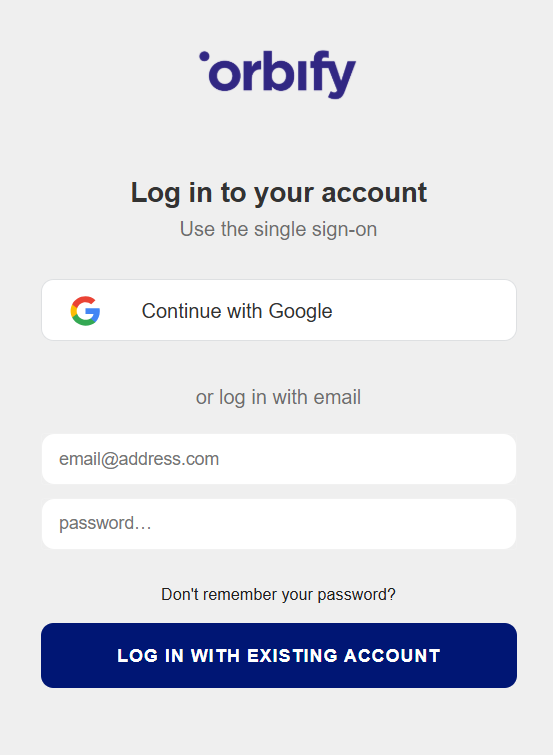
Start by navigating to the Orbify login page. Below the login fields, you'll find an option labeled "Don’t remember your password." Click on this option to initiate the password reset process.
Step 2: Enter Your Email Address
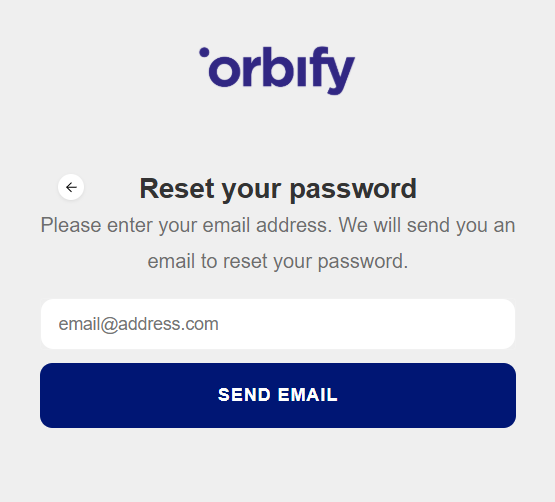
On the password reset page, you'll be prompted to enter the email address associated with your Orbify account. Make sure to enter the correct email address to receive instructions for resetting your password. Once you've entered your email address, click on the "Send email" button to proceed.
Step 3: Check Your Email Inbox
After submitting your email address, Orbify will send you an email with instructions on how to reset your password. Check your email inbox, including your spam or junk folder, for the password reset email from Orbify.
Step 4: Follow the Reset Instructions
Open the password reset email from Orbify and follow the instructions provided. You will be required to click on a link that will redirect you to the password reset page.
Step 5: Choose a New Password
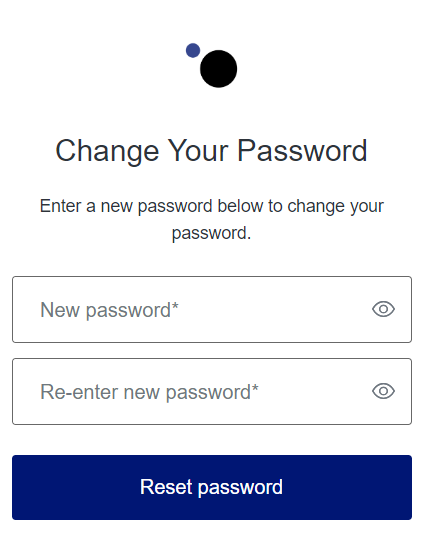
Select a strong and memorable password, following the requirements provided by Orbify for password strength and security:
At least 8 characters in length
Contain at least 3 of the 4 following types of characters:
Lower case letter (a-z)
Upper case letter (A-Z)
Number (i.e. 0 - 9)
Special Characters (e.g. !@#$%^&*)
Enter your new password and confirm it to complete the password reset process.
Step 6: Log In with Your New Password
After successfully resetting your password, return to the Orbify login page. Enter your email address and newly chosen password to log in to your account. You now have regained access to your Orbify account and can resume your activities as usual.
Conclusion
By following the simple steps outlined in this guide, you can quickly reset your password. Remember to choose a strong and secure password to protect your account from unauthorized access.